
By expanding file compatibility and adding direct file handling, the Win2PDF 11.0.9 release aims to further improve PDF efficiency.
Direct File Operations with the Windows 11 Context Menu
This update includes a new Windows 11 Explorer Context Menu Extension. This allows users to perform common operations directly from Windows Explorer by right-clicking a file, rather than opening the application first.
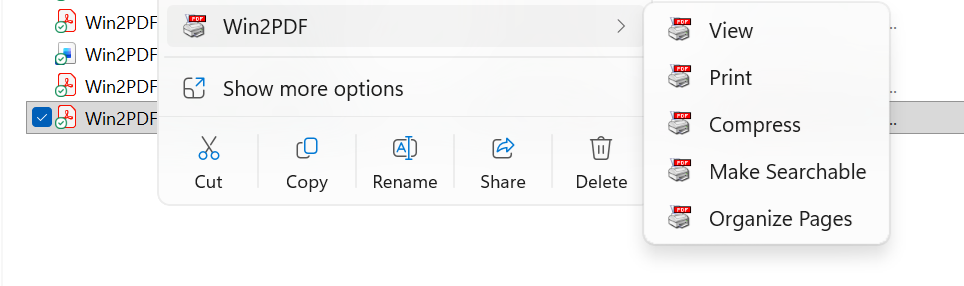
- For PDFs: Instantly view, print, compress, make searchable (OCR), or organize pages.
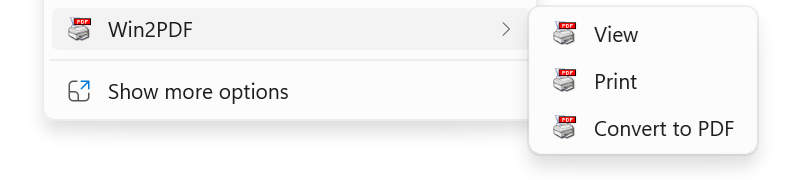
- For Images & Web: Right-click .JPG, .PNG, .BMP, .TIF, .HTML, and other files to view or convert them immediately to PDF.
- For Documents (Win2PDF Pro): Quickly convert Microsoft Office Word, Excel, and Powerpoint, as well as Text and OpenDocument files to PDF without opening the original application.
- For Email (Win2PDF Pro): Make PDFs from .EML, .MSG, .MHT without opening your email program.
- For Folders (Win2PDF Pro): Win2PDF Pro users can now right-click an entire folder to start a Batch Conversion of its contents.

Improved Handling for Email Attachments
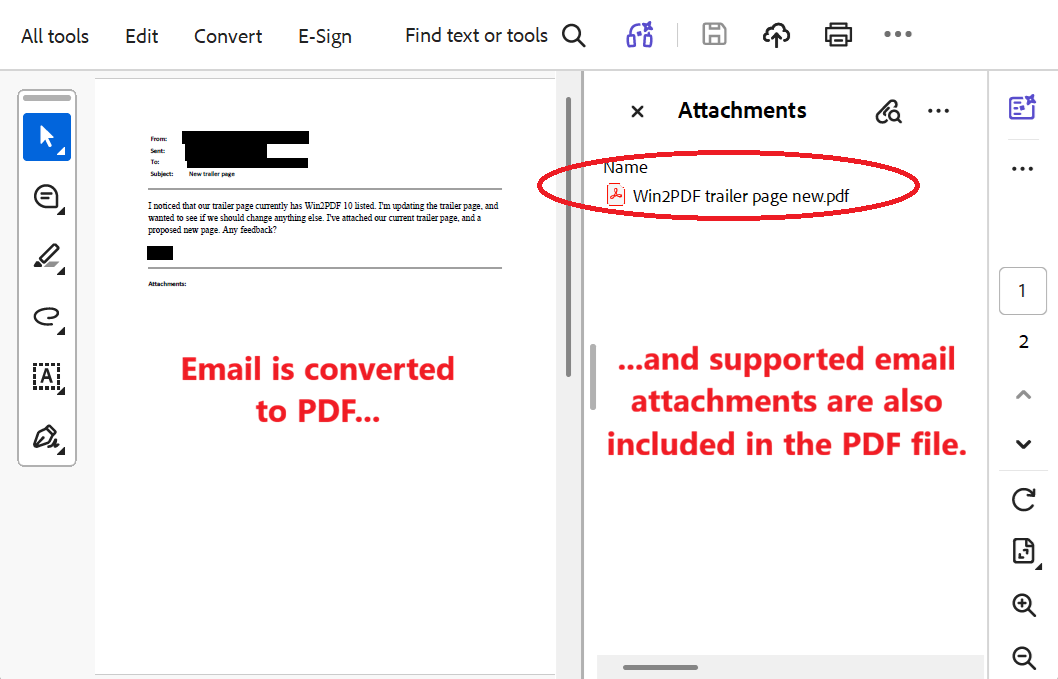
When converting .MSG and .EML (email) files to PDF, Win2PDF 11.0.9 now processes attachments automatically.
Win2PDF copies source attachments directly into the PDF as attachments. For supported file types such as Word documents, Excel files, and images, Win2PDF converts and includes the attachment in the PDF, resulting in a single document. Unsafe file types like .EXE and .BAT will NOT be converted.
Native Support for PowerPoint (Win2PDF Pro)
Win2PDF Pro now provides native support for Microsoft Office PowerPoint (.PPT and .PPTX) files, including the following automation features:
- Batch Conversion: Convert dozens of presentations at once.
- Watch Folders: Drop PowerPoint files into a specific folder, and Win2PDF will automatically turn them into PDFs without any user interaction. (Win2PDF Pro Terminal Server Edition feature only)
- Command-Line: For those who use scripts to automate their workflow, we’ve added full command-line support for PowerPoint conversions.
Better Data Preservation
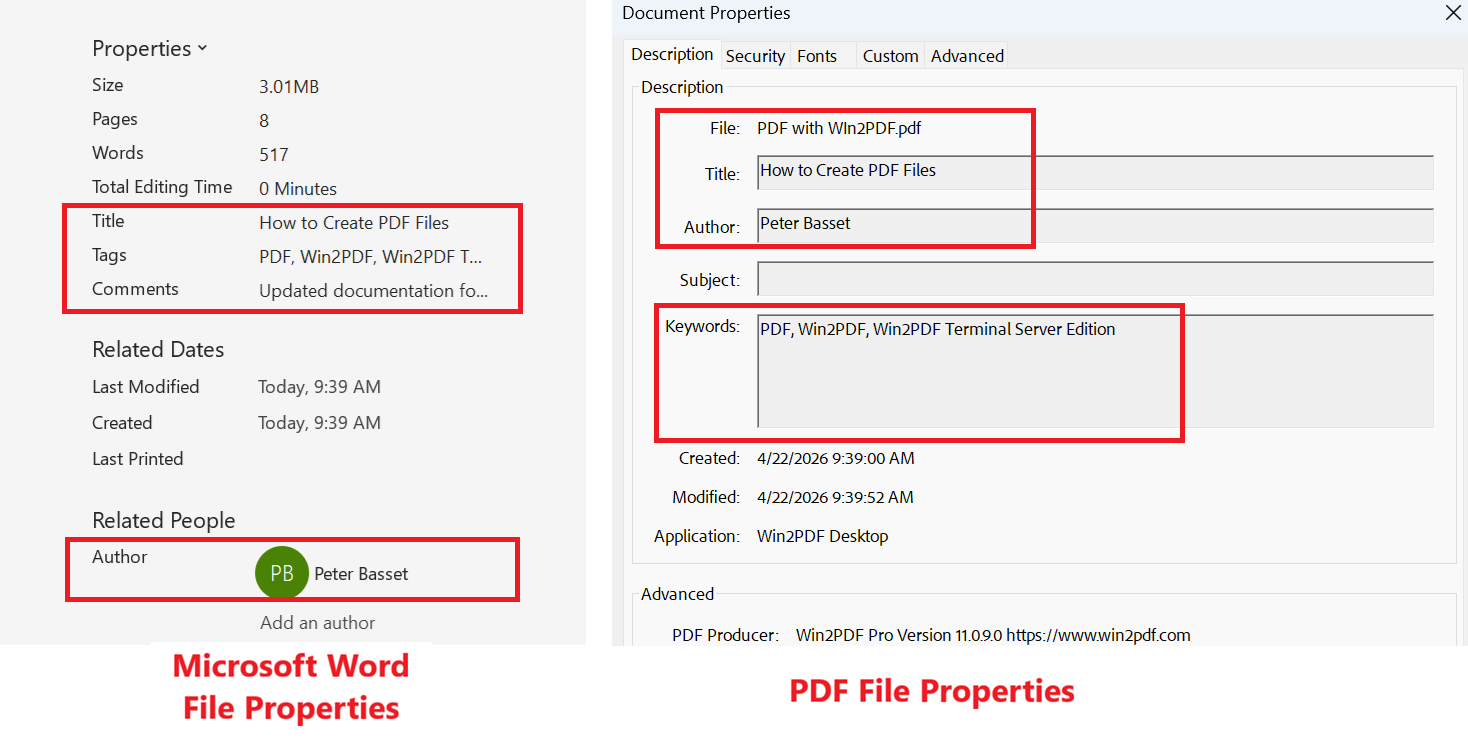
- To assist with file organization, Win2PDF Pro now automatically copies metadata when converting Microsoft Word (.DOC or .DOCX) files to PDF. This preserves the original author, title, subject, and keywords for easier document categorization.
- For our advanced users, we’ve also added a new command-line option:
This allows you to automatically generate a table of contents or bookmarks in your PDF based on a simple comma-separated text file.
How to Get the Update
Win2PDF 11.0.9 is a FREE upgrade for all users of Win2PDF 7, 10, and 11. Visit our download page to update your existing software.
If you want to try out our new 11.0.9 features—as well as watermarking, document security, and automated naming—feel free to contact us for a 30-day trial of Win2PDF Pro.

